


Comparing Thermal Printer Brands: Which Is Best?

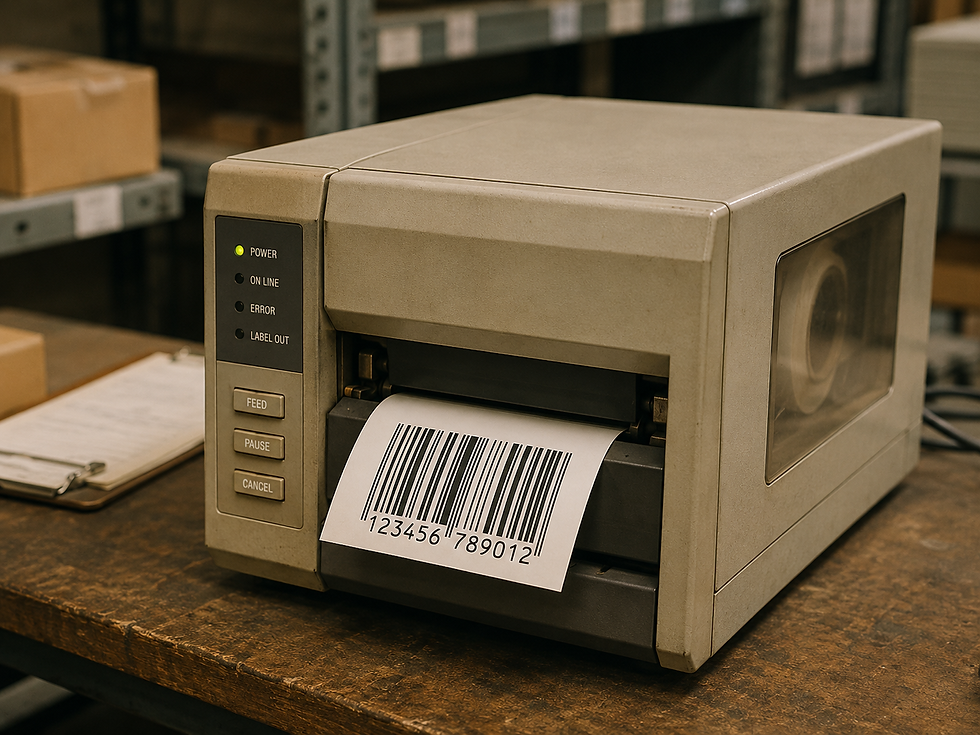
When it comes to printing labels, receipts, or barcodes, thermal printers have become a go-to solution for many businesses and individuals alike. With a variety of brands available, choosing the right thermal printer can be overwhelming. This blog post will compare some of the leading thermal printer brands, examining their features, advantages, and potential drawbacks to help you make an informed decision.

Understanding Thermal Printing Technology
Before diving into brand comparisons, it's essential to understand how thermal printing works. Thermal printers use heat to transfer ink onto paper, resulting in high-quality prints without the need for traditional ink cartridges. There are two main types of thermal printing:
Direct Thermal Printing: This method uses heat-sensitive paper that darkens when exposed to heat. It's commonly used for receipts and shipping labels.
Thermal Transfer Printing: This method uses a ribbon that melts onto the paper when heated, allowing for more durable prints. It's ideal for labels that need to withstand various environmental conditions.
Both methods have their unique advantages, and the choice between them often depends on the specific application.
Key Features to Consider
When comparing thermal printer brands, consider the following features:
Print Speed: Measured in millimeters per second (mm/s), faster printers can significantly improve productivity.
Print Resolution: Higher resolution (measured in dots per inch, or DPI) results in clearer and more detailed prints.
Connectivity Options: Look for printers that offer USB, Bluetooth, and Wi-Fi connectivity for versatile use.
Media Compatibility: Ensure the printer can handle various label sizes and types, including adhesive labels and tags.
Durability: Consider the build quality, especially if the printer will be used in demanding environments.
Brand Comparisons
1. Zebra Technologies
Overview: Zebra is a well-known name in the thermal printing industry, offering a wide range of printers suitable for various applications.
Advantages:
High Durability: Zebra printers are built to withstand harsh conditions, making them ideal for warehouses and outdoor use.
Versatile Models: They offer both direct thermal and thermal transfer options, catering to different printing needs.
Strong Software Support: Zebra provides robust software solutions for label design and printer management.
Drawbacks:
Price Point: Zebra printers can be on the higher end of the price spectrum, which may not be suitable for all budgets.
2. Brother
Overview: Brother is known for its reliable and user-friendly thermal printers, often favored by small businesses and home users.
Advantages:
Affordability: Brother printers are generally more budget-friendly compared to competitors.
Compact Design: Many models are compact and easy to store, making them suitable for limited workspace.
Easy Setup: Brother printers are known for their straightforward installation process.
Drawbacks:
Limited Durability: While suitable for light to moderate use, Brother printers may not hold up as well in demanding environments.
3. Dymo
Overview: Dymo specializes in label printers, making them a popular choice for businesses that require high-quality labels.
Advantages:
User-Friendly Interface: Dymo printers often come with intuitive software that simplifies label design.
Wide Range of Labels: They offer various label types, including address labels, shipping labels, and more.
Compact Size: Dymo printers are typically small and portable, ideal for on-the-go printing.
Drawbacks:
Limited Print Speed: Dymo printers may not be as fast as some competitors, which could be a drawback for high-volume printing.
4. Epson
Overview: Epson is known for its innovative printing solutions, including thermal printers that cater to various industries.
Advantages:
High Print Quality: Epson printers often deliver exceptional print quality, making them suitable for detailed graphics and images.
Eco-Friendly Options: Some models use eco-friendly ink and paper, appealing to environmentally conscious users.
Versatile Connectivity: Epson printers typically offer multiple connectivity options, including mobile printing capabilities.
Drawbacks:
Higher Initial Cost: Epson printers can be more expensive upfront, which may deter budget-conscious buyers.
5. Bixolon
Overview: Bixolon is a lesser-known brand but has gained traction for its reliable and cost-effective thermal printers.
Advantages:
Affordable Pricing: Bixolon printers are often more budget-friendly, making them accessible for small businesses.
Good Performance: They provide decent print speeds and quality for the price.
Compact Design: Many models are designed to save space, making them suitable for various settings.
Drawbacks:
Limited Brand Recognition: As a newer player in the market, Bixolon may not have the same level of support or recognition as more established brands.
Comparing Print Quality and Speed
When evaluating thermal printers, print quality and speed are critical factors. Here’s a quick comparison of the brands discussed:
| Brand | Print Speed (mm/s) | Print Resolution (DPI) | Quality Rating |
|---------------|---------------------|------------------------|-----------------|
| Zebra | Up to 300 | 203-600 | High |
| Brother | Up to 150 | 300 | Medium |
| Dymo | Up to 100 | 300 | Medium |
| Epson | Up to 200 | 300-600 | High |
| Bixolon | Up to 150 | 203-300 | Medium |
User Experience and Support
User experience can significantly impact your satisfaction with a thermal printer. Here’s how the brands stack up in terms of support and usability:
Zebra: Offers extensive online resources, including manuals and troubleshooting guides. Their customer support is known for being responsive.
Brother: Provides user-friendly software and a straightforward setup process. Their customer service is generally well-rated.
Dymo: Known for its intuitive software, Dymo also offers helpful online resources, though some users report slower response times from support.
Epson: Offers a wealth of online resources and a solid customer support system, though some users find their software less intuitive.
Bixolon: While they have decent online resources, their customer support may not be as robust as larger brands.
Cost Considerations
When choosing a thermal printer, consider not just the initial purchase price but also the long-term costs associated with ink, labels, and maintenance. Here’s a breakdown of typical costs associated with each brand:
Zebra: Higher initial cost but durable and long-lasting, potentially saving money in the long run.
Brother: Affordable upfront costs, but replacement labels can add up.
Dymo: Generally low-cost printers, but proprietary labels may be more expensive.
Epson: Higher initial investment, but eco-friendly options can save money on supplies.
Bixolon: Budget-friendly with lower long-term costs, making it a good choice for small businesses.
Conclusion
Choosing the best thermal printer brand depends on your specific needs and budget. Zebra and Epson are excellent choices for high-quality, durable printing, while Brother and Dymo offer user-friendly options for smaller operations. Bixolon provides a cost-effective alternative for those looking to save money without sacrificing performance.
Ultimately, consider your printing volume, required features, and budget to find the thermal printer that best suits your needs. Whether you need a printer for shipping labels, receipts, or barcodes, there's a brand out there that can meet your requirements effectively. Take the time to research and compare options to ensure you make the best choice for your printing needs.

Comments